How to Optimize Your Product Feed for ChatGPT Ads
Turn your Shopify catalog into an optimized ChatGPT Ads feed: exclude the wrong products, fix issues, enrich data with AI, and control every field, without touching your store.
“How to Optimize Your Product Feed for ChatGPT Ads”
The short version
- Your raw Shopify catalog is rarely your best ads feed. Some products should not run, some are missing data OpenAI needs, and some titles were written for your store, not for ChatGPT.
- Optimizing your feed means excluding the wrong products, fixing missing data, and enriching what is there, without changing your actual store.
- Reach: Feed for ChatGPT Ads now does all of this: rules, AI enrichment, per-product control, issue detection, and automatic delivery.
Getting your products into ChatGPT ads is step one. Getting the right products in, with clean, complete, optimized data, is what actually makes them perform. Your Shopify catalog as-is is usually not that feed: it includes products you would not want to advertise, it has gaps OpenAI will reject, and its titles and descriptions were written for your storefront, not for how shoppers ask ChatGPT. Here is how to optimize it, using the tools we just shipped in Reach: Feed for ChatGPT Ads.
Why your raw catalog isn't your best ads feed
Three things are almost always true of an unoptimized feed:
- It includes products that should not run — out-of-stock items, low-margin or low-priced products, clearance, or entire categories you do not want to advertise.
- It has data gaps that get products rejected — a missing image, a missing GTIN, an empty description. (These are the exact issues in OpenAI Ads product feed requirements.)
- Its text is not written for ChatGPT — titles and descriptions built for your storefront, not for the way shoppers describe what they want to an assistant.
Fixing these by hand, in a spreadsheet, every time your catalog changes, is miserable. So the app does it for you.
1. Exclude the products that should not run
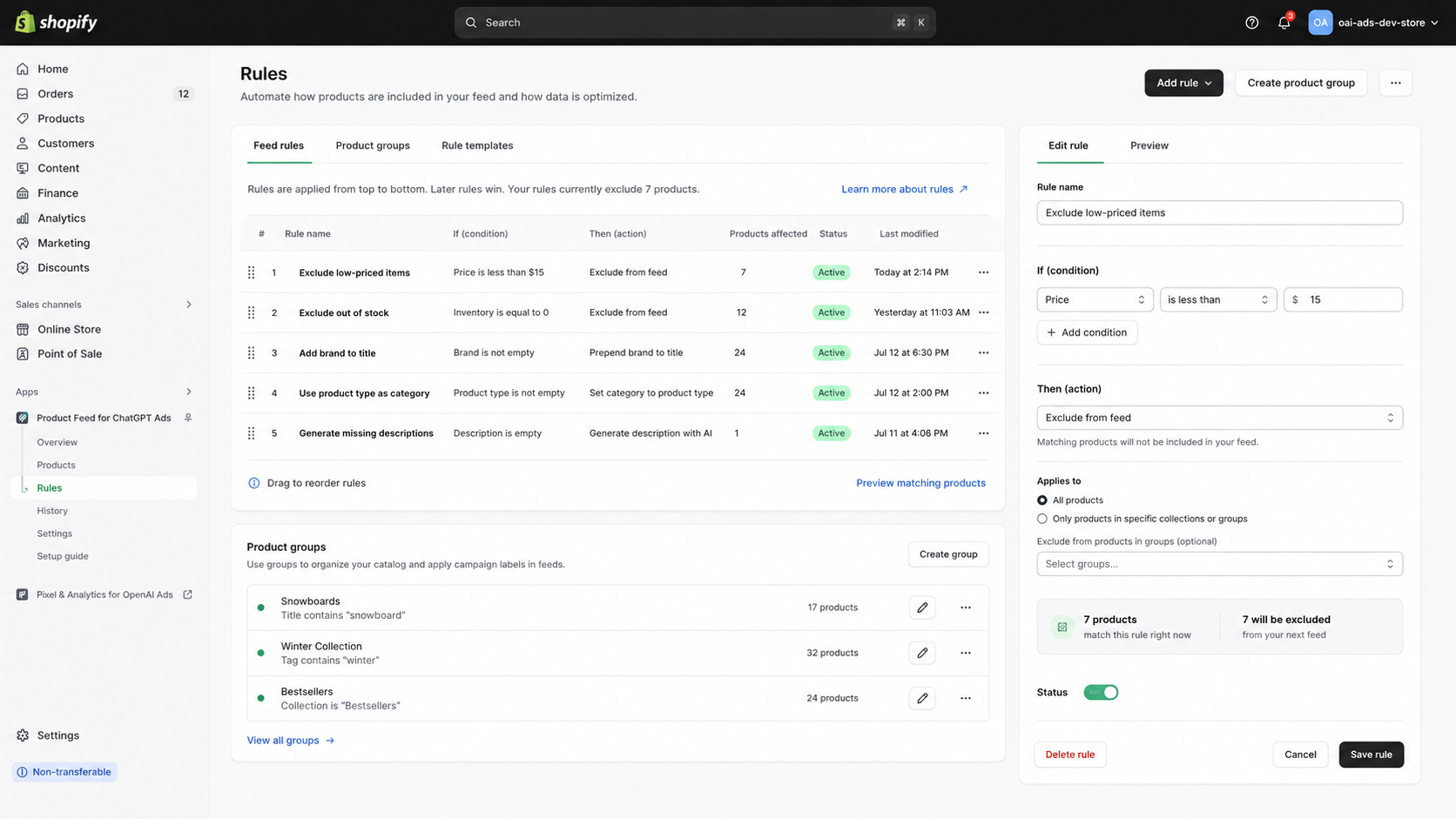
With Feed Rules, you set conditions and actions that shape your feed automatically. Exclude anything priced under a threshold, exclude out-of-stock items, or exclude whole collections. Rules apply top to bottom, and you can scope them to product groups.
2. Fix and enrich your product data automatically
Rules do more than exclude. They optimize your data: prepend your brand to every title, set the product category from your product type, or generate a description with AI for any product missing one. Set the rule once, and every future feed follows it.
3. Take control of any single product
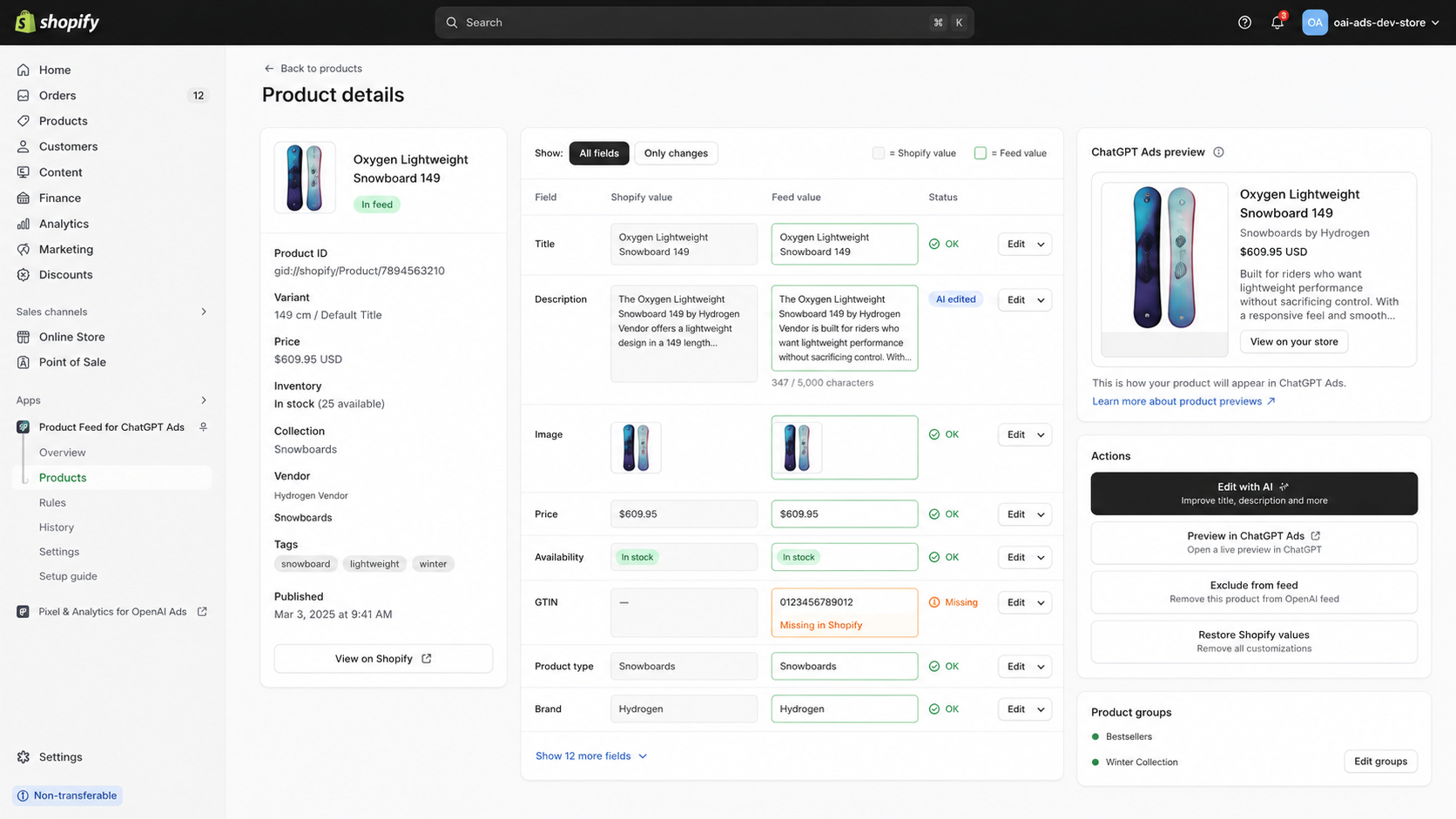
Sometimes you want to hand-tune one product. The product detail view shows your Shopify value next to your feed value for every field, so you can override a title, description, image, or category for the feed only. Your Shopify store never changes. You can improve any field with AI, and see a live ChatGPT Ads preview of exactly how the product will appear.
4. Catch issues before OpenAI rejects them
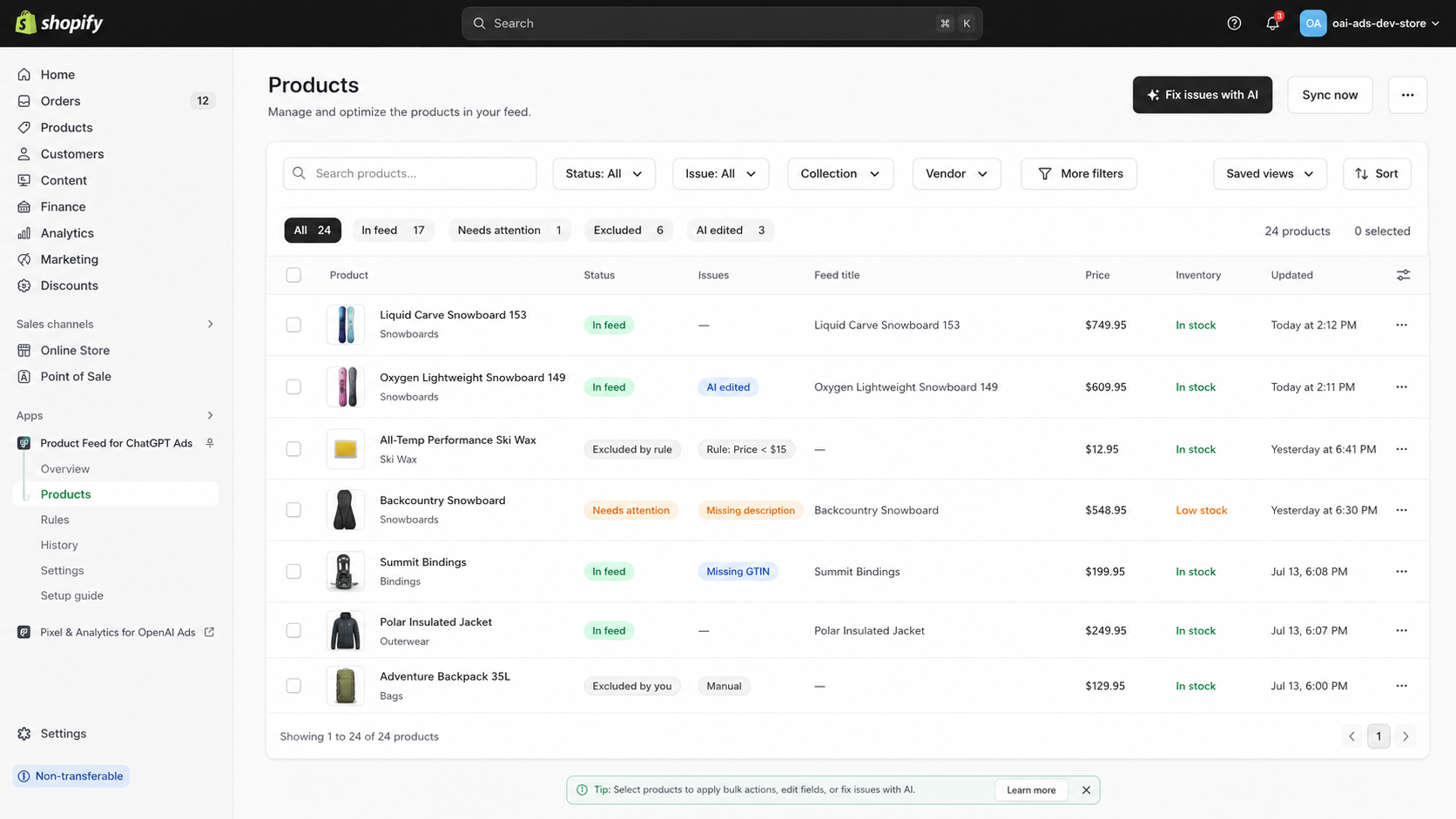
The Products grid flags problems before they cost you: missing descriptions, missing GTINs, out-of-stock items, and more, each labeled clearly. Filter to "Needs attention," select what you want, and fix issues with AI in bulk, or exclude them.
5. Deliver it, and keep it synced automatically
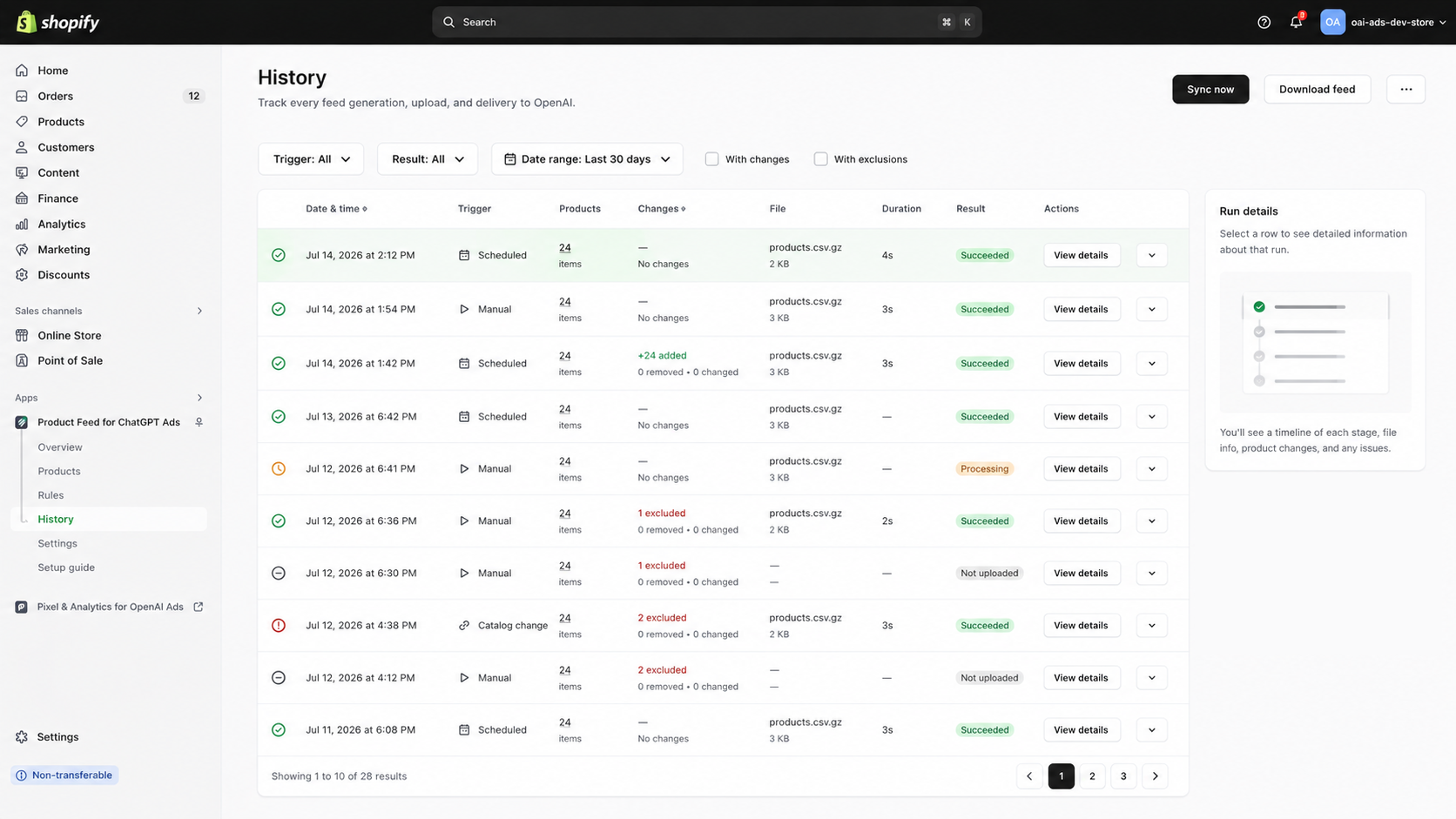
Optimizing the feed is only useful if it stays current. The app delivers your feed to OpenAI and re-syncs on a schedule, after any catalog change, or on demand, and the History log shows every run: what changed, what was excluded, and whether delivery succeeded.
Your store stays exactly as it is
This is the part worth repeating: every optimization here affects your OpenAI feed only. Titles, descriptions, images, and exclusions you set never touch your live Shopify products. You get a feed tuned for ChatGPT ads and a storefront that stays exactly the way you built it.
Once your feed is optimized and running ads, the next question is whether it is actually converting. That is a measurement job, covered in How to track OpenAI Ads conversions on Shopify.
Turn your catalog into a feed built to perform. Install Reach: Feed for ChatGPT Ads to optimize, validate, and auto-sync your ChatGPT ads product feed, without touching your store.
Frequently asked questions
Does editing my feed change my Shopify products?
No. Every change applies to your OpenAI Ads feed only. Your live store, titles, descriptions, and images stay exactly as they are.
Can I exclude products from my ChatGPT ads feed?
Yes, either with a rule (for example, exclude anything under $15 or out of stock) or by excluding individual products.
Can it fix missing product data?
Yes. It flags issues like missing descriptions or GTINs and can fix them in bulk with AI, including generating descriptions for products that lack them.
How often does the feed sync?
On a schedule, automatically after catalog changes, and any time you trigger it manually. The History log records every run.
Do I need to work in spreadsheets?
No. The whole point is to replace manual CSV work with rules, AI, and automatic delivery.